> ## Documentation Index
> Fetch the complete documentation index at: https://portkey-docs-add-third-party-integration-issues-fixes.mintlify.site/llms.txt
> Use this file to discover all available pages before exploring further.
# Dashscope
> Integrate Dashscope with Portkey for seamless completions, embeddings, and advanced features.
## Quick Start
Get started with Dashscope in under 2 minutes:
```python Python icon="python" theme={null}
from portkey_ai import Portkey
# 1. Install: pip install portkey-ai
# 2. Add @dashscope provider in model catalog
# 3. Use it:
portkey = Portkey(api_key="PORTKEY_API_KEY")
response = portkey.chat.completions.create(
model="@dashscope/qwen-turbo",
messages=[{"role": "user", "content": "Hello!"}]
)
print(response.choices[0].message.content)
```
```js Javascript icon="square-js" theme={null}
import Portkey from 'portkey-ai'
// 1. Install: npm install portkey-ai
// 2. Add @dashscope provider in model catalog
// 3. Use it:
const portkey = new Portkey({
apiKey: "PORTKEY_API_KEY"
})
const response = await portkey.chat.completions.create({
model: "@dashscope/qwen-turbo",
messages: [{ role: "user", content: "Hello!" }]
})
console.log(response.choices[0].message.content)
```
```python OpenAI Py icon="python" theme={null}
from openai import OpenAI
from portkey_ai import PORTKEY_GATEWAY_URL
# 1. Install: pip install openai portkey-ai
# 2. Add @dashscope provider in model catalog
# 3. Use it:
client = OpenAI(
api_key="PORTKEY_API_KEY", # Portkey API key
base_url=PORTKEY_GATEWAY_URL
)
response = client.chat.completions.create(
model="@dashscope/qwen-turbo",
messages=[{"role": "user", "content": "Hello!"}]
)
print(response.choices[0].message.content)
```
```js OpenAI JS icon="square-js" theme={null}
import OpenAI from "openai"
import { PORTKEY_GATEWAY_URL } from "portkey-ai"
// 1. Install: npm install openai portkey-ai
// 2. Add @dashscope provider in model catalog
// 3. Use it:
const client = new OpenAI({
apiKey: "PORTKEY_API_KEY", // Portkey API key
baseURL: PORTKEY_GATEWAY_URL
})
const response = await client.chat.completions.create({
model: "@dashscope/qwen-turbo",
messages: [{ role: "user", content: "Hello!" }]
})
console.log(response.choices[0].message.content)
```
```sh cURL icon="square-terminal" theme={null}
# 1. Add @dashscope provider in model catalog
# 2. Use it:
curl https://api.portkey.ai/v1/chat/completions \
-H "Content-Type: application/json" \
-H "x-portkey-api-key: $PORTKEY_API_KEY" \
-d '{
"model": "@dashscope/qwen-turbo",
"messages": [{"role": "user", "content": "Hello!"}]
}'
```
## Add Provider in Model Catalog
Before making requests, add Dashscope to your Model Catalog:
1. Go to [**Model Catalog → Add Provider**](https://app.portkey.ai/model-catalog/providers)
2. Select **Dashscope**
3. Enter your [Dashscope API key](https://help.aliyun.com/zh/model-studio/developer-reference/get-api-key)
4. Name your provider (e.g., `dashscope`)
See all setup options and detailed configuration instructions
Explore the official Dashscope documentation
***
## Dashscope Capabilities
### Embeddings
Generate embeddings for text using Dashscope embedding models:
```python Python theme={null}
from portkey_ai import Portkey
portkey = Portkey(api_key="PORTKEY_API_KEY", provider="@dashscope")
response = portkey.embeddings.create(
input="Your text string goes here",
model="text-embedding-v3"
)
print(response.data[0].embedding)
```
```javascript Node.js theme={null}
import Portkey from 'portkey-ai';
const portkey = new Portkey({
apiKey: 'PORTKEY_API_KEY',
provider: '@dashscope'
});
const response = await portkey.embeddings.create({
input: "Your text string goes here",
model: "text-embedding-v3"
});
console.log(response.data[0].embedding);
```
***
## Advanced Features
### Track End-User IDs
Monitor user-level costs and requests by passing user IDs:
```python Python theme={null}
from portkey_ai import Portkey
portkey = Portkey(api_key="PORTKEY_API_KEY", provider="@dashscope")
response = portkey.chat.completions.create(
model="qwen-turbo",
messages=[{"role": "user", "content": "Hello!"}],
user="user_123456" # Track this user's usage
)
```
```javascript Node.js theme={null}
import Portkey from 'portkey-ai';
const portkey = new Portkey({
apiKey: 'PORTKEY_API_KEY',
provider: '@dashscope'
});
const response = await portkey.chat.completions.create({
model: "qwen-turbo",
messages: [{ role: "user", content: "Hello!" }],
user: "user_123456" // Track this user's usage
});
```
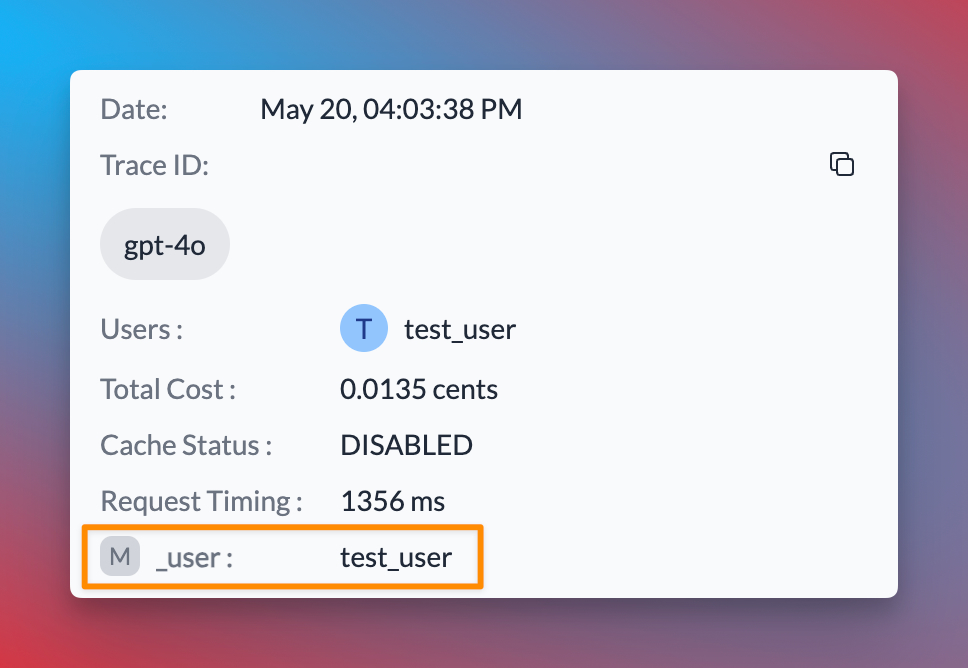 Explore how to use custom metadata to enhance your request tracking and analysis
### Gateway Configurations
Use Portkey's Gateway features for advanced routing and reliability:
**Example: Conditional Routing**
```json theme={null}
{
"strategy": {
"mode": "conditional",
"conditions": [
{
"query": { "metadata.user_plan": { "$eq": "paid" } },
"then": "qwen-turbo"
},
{
"query": { "metadata.user_plan": { "$eq": "free" } },
"then": "gpt-3.5"
}
],
"default": "gpt-3.5"
},
"targets": [
{
"name": "qwen-turbo",
"provider": "@dashscope"
},
{
"name": "gpt-3.5",
"provider": "@openai"
}
]
}
```
Explore how to use custom metadata to enhance your request tracking and analysis
### Gateway Configurations
Use Portkey's Gateway features for advanced routing and reliability:
**Example: Conditional Routing**
```json theme={null}
{
"strategy": {
"mode": "conditional",
"conditions": [
{
"query": { "metadata.user_plan": { "$eq": "paid" } },
"then": "qwen-turbo"
},
{
"query": { "metadata.user_plan": { "$eq": "free" } },
"then": "gpt-3.5"
}
],
"default": "gpt-3.5"
},
"targets": [
{
"name": "qwen-turbo",
"provider": "@dashscope"
},
{
"name": "gpt-3.5",
"provider": "@openai"
}
]
}
```
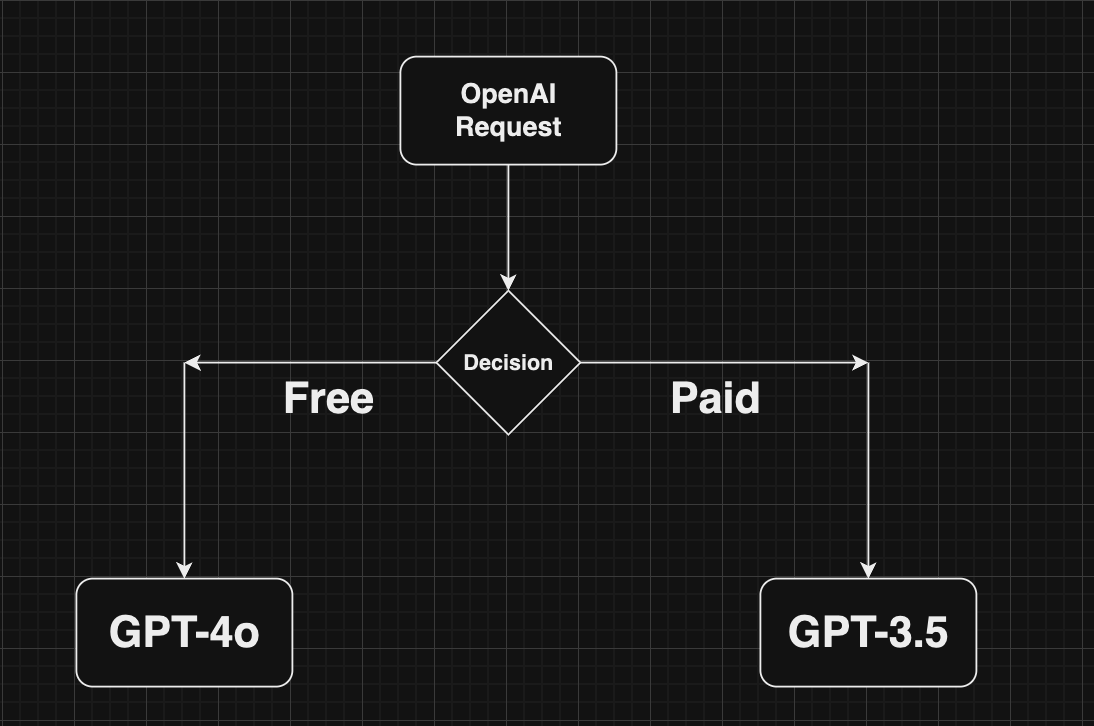 Distribute requests across multiple targets
Automatically switch to backup targets
Route requests based on conditions
Cache responses to reduce costs
### Guardrails
Enforce input/output checks with custom hooks:
```json theme={null}
{
"provider": "@dashscope",
"before_request_hooks": [{
"id": "input-guardrail-id-xx"
}],
"after_request_hooks": [{
"id": "output-guardrail-id-xx"
}]
}
```
Enhance security and reliability with Portkey Guardrails
***
## Next Steps
Add fallbacks, load balancing, and more
Monitor and trace your Dashscope requests
Manage and version your prompts
Add custom metadata to requests
For complete SDK documentation:
Complete Portkey SDK documentation
***
For the most up-to-date information on supported features and endpoints, please refer to our [API Reference](/api-reference/inference-api/introduction).
Distribute requests across multiple targets
Automatically switch to backup targets
Route requests based on conditions
Cache responses to reduce costs
### Guardrails
Enforce input/output checks with custom hooks:
```json theme={null}
{
"provider": "@dashscope",
"before_request_hooks": [{
"id": "input-guardrail-id-xx"
}],
"after_request_hooks": [{
"id": "output-guardrail-id-xx"
}]
}
```
Enhance security and reliability with Portkey Guardrails
***
## Next Steps
Add fallbacks, load balancing, and more
Monitor and trace your Dashscope requests
Manage and version your prompts
Add custom metadata to requests
For complete SDK documentation:
Complete Portkey SDK documentation
***
For the most up-to-date information on supported features and endpoints, please refer to our [API Reference](/api-reference/inference-api/introduction).